

Coupons+ is shifting to a freemium model
Initially, Coupons+ was sold exclusively as a single, paid plugin on CodeCanyon. Over time, marketplace traffic on CodeCanyon declined significantly, making the development unsustainable. To ensure we can keep maintaining the plugin in the future, Coupons+ 3 is moving to a freemium model. This means some features of Coupons+ can be used for free. Coupons+ Core, the base plugin, is available to download and install for free on WordPress.org. We hope this change allows more people to use Coupons+ in their stores.What Happens to Your Existing (Row-based) Coupons?
If you have a store running in Coupons+ 2 or earlier, your existing coupons will continue to work as they have been when you install Coupons+ Pro 3. Coupons+ Pro 3 includes a backward compatibility mode that allows your old coupons to run alongside the new engine, so you can have your old coupons and a mix of the new tree-based coupons. The legacy dashboard is exclusively available in Coupons+ Pro.- Supported Until 2028: We are committing to security patches and WooCommerce compatibility updates for legacy coupons until 2028.
- Gradual Migration: While legacy coupons remain functional, we strongly recommend gradually recreating your active promotions using the new tree-based dashboard to take advantage of the more flexible and faster engine.
Key differences between Coupons+ 2 and 3 to know about
Aside from the biggest change of a row-based builder to a tree-based builder, here are some key differences between both versions:You can add multiple trees (offers) in the same coupon
When you added multiple rows in Coupons+ 2, only the first one that matched a valid offer would be used. In Coupons+ Pro 3, when you add multiple trees, any trees that match a valid offer will be applied. This allows you to apply multiple offers per coupon, for example: one tree applies 10% off to all Hoodies and another tree applies 20% off to 2 or more Tees. The equivalent behavior of having multiple rows but only one offer applied in Coupons+ Pro 3 can be achieved by adding tiers.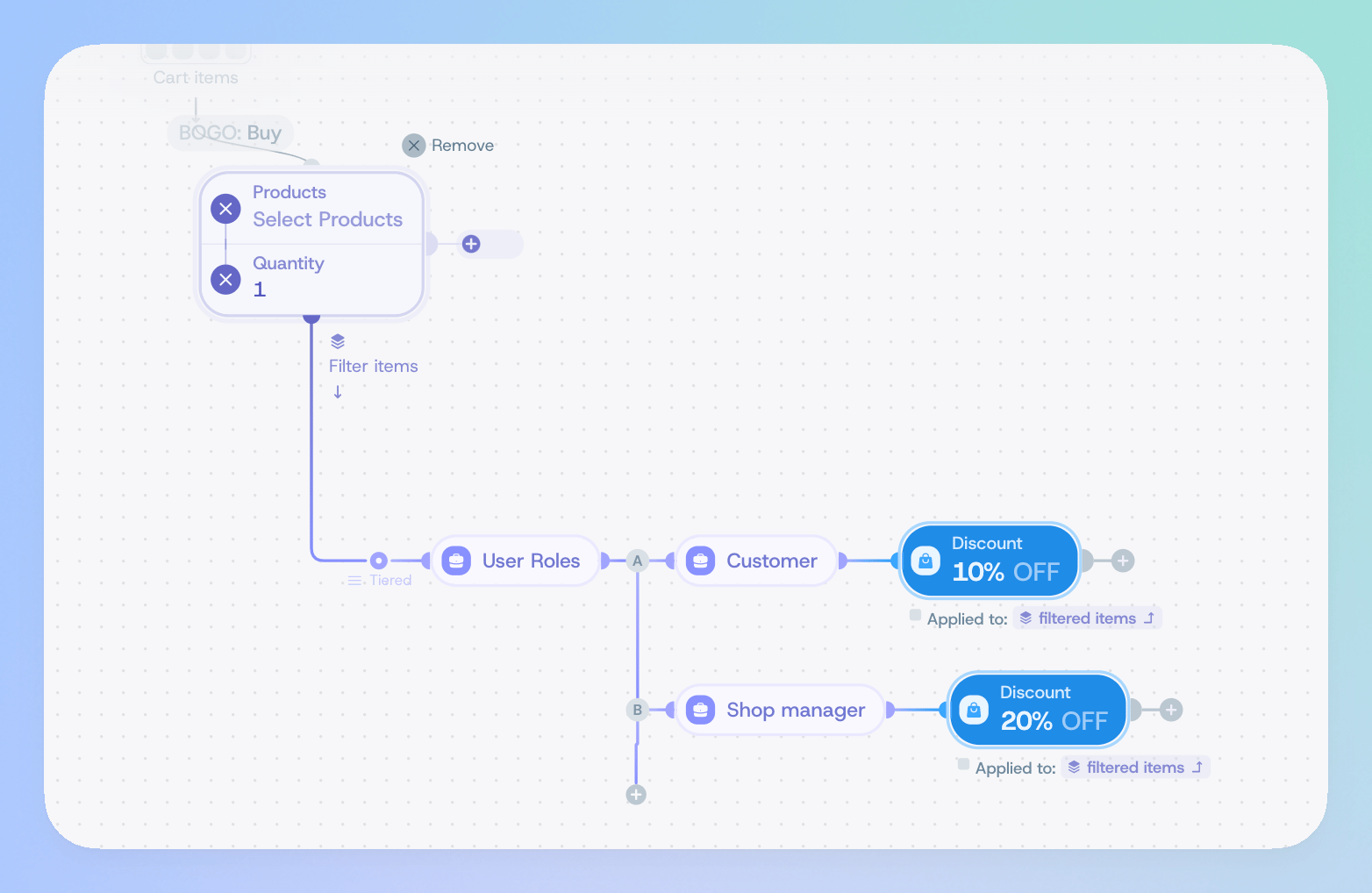
Quantity-based tiers can now be added in natural order
In Coupons+ 2, creating bulk/tiered discounts required manually arranging your filters and offers from highest to lowest quantity to prevent lower thresholds from triggering first. In Coupons+ 3, this workaround is gone. You can now define your tiers in natural order (from lowest to highest) or in any order you prefer, and the engine will automatically evaluate the correct tier.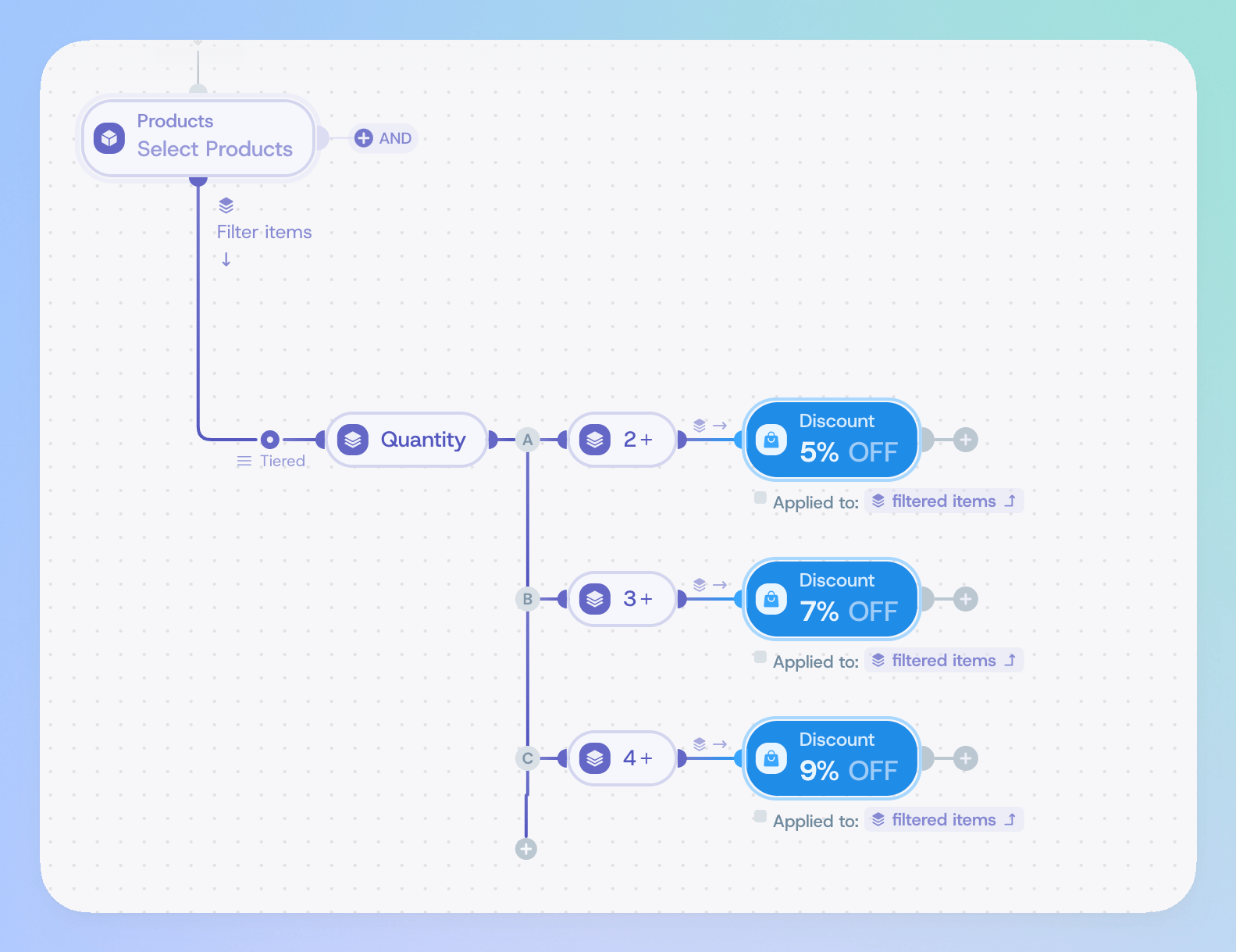
You don’t need to repeat your filters when creating BOGO offers
In Coupons+ 2, you needed to create at least 3 columns to create a Buy X Get Y Offer. In Coupons+ 3 you can select the “buy” and “get” items independently without having to repeat your filters.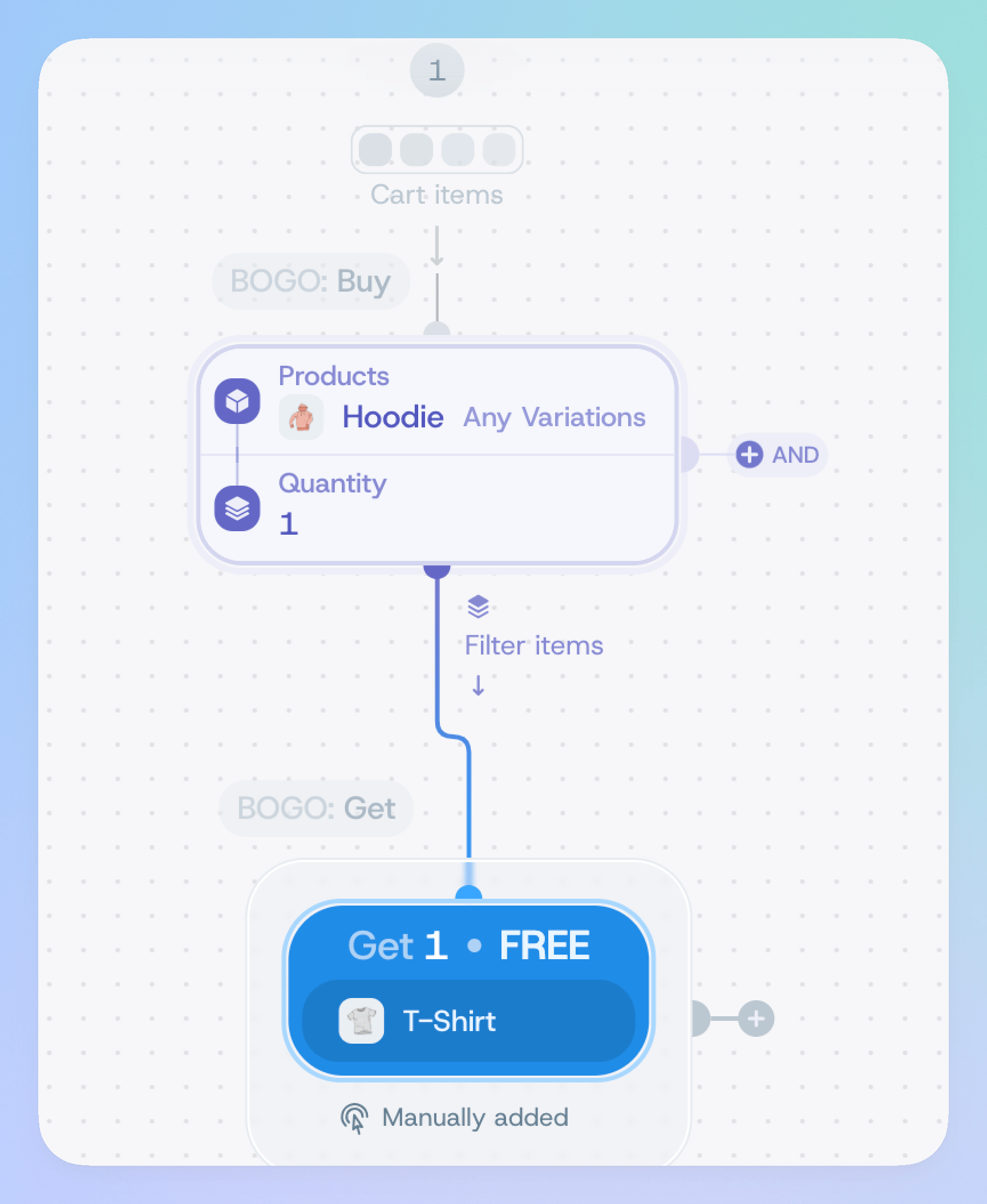
Classic coupons can no longer be combined with the new Coupons+ coupons
You have to pick one or the other when creating a tree-based Coupons+ coupon. In Coupons+ 2, you were able to combine classic and Coupons+ coupons. Tree-based coupons no longer support this feature. If you have a store running in legacy mode, your old coupons will continue to work as before. This only applies to new Coupons+ coupons.Transition support for CodeCanyon customers
To make this transition as smooth as possible, we are making an exception for all CodeCanyon license holders: if you have a valid CodeCanyon license but your support license has expired, we will be making an exception and we will provide support throughout the rest of 2026. If you need assistance with:- Migrating a legacy row structure into the new tier/tree engine.
- Configuring your tree-based coupons.
Read the migration guide
If you have Coupons+ 2 installed, read this guide to install Coupons+ 3.Stuck? Have a question? We’re here to help!
Ask for help in the official support forums!