

Example: A simple Buy One, Get One
You have setup a BOGO offer that will give the customer a free V-Neck T-Shirt when they buy one in full: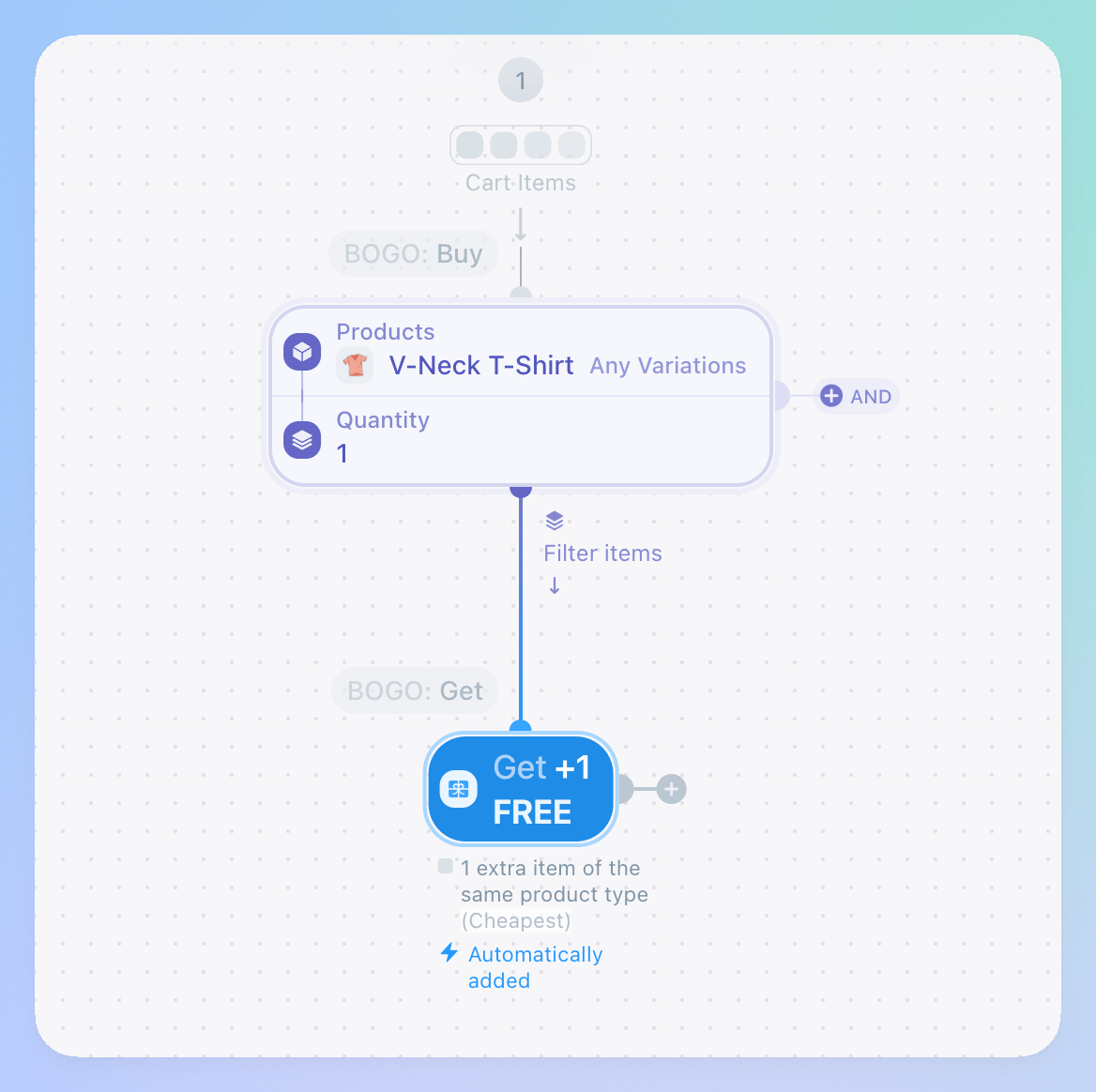
Applying repeatedly
1
Open the offer configuration screen
From the Coupons+ dashboard, click on the offer to edit it.
2
Change the apply mode
Scroll down to the section: How many times can this be applied and click Repeatedly.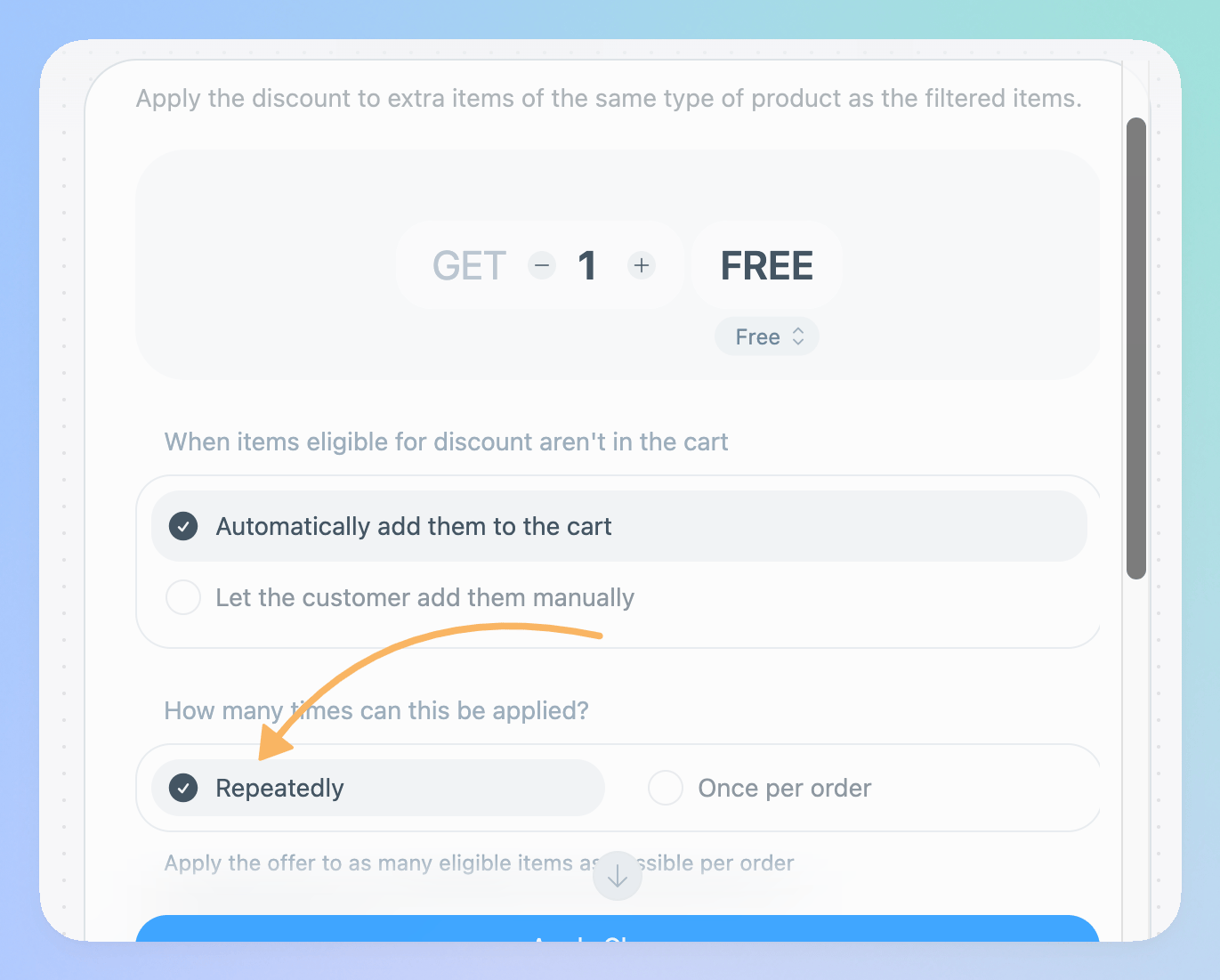
- BOGO: Same Products
- BOGO: Different Products
- Bundle Price
Technical details
This option is saved on the offer object asoptions.__BASE__.isRecursive = true
Stuck? Have a question? We’re here to help!
Ask for help in the official support forums!